 SubtitleRocket
Auto subtitles in many languages
SubtitleRocket transcribes multilingual clips, including languages beyond English.
Upload a clip, get editable multilingual captions, and download a finished video. Start free. Upgrade only when you need a clean 1080p export.
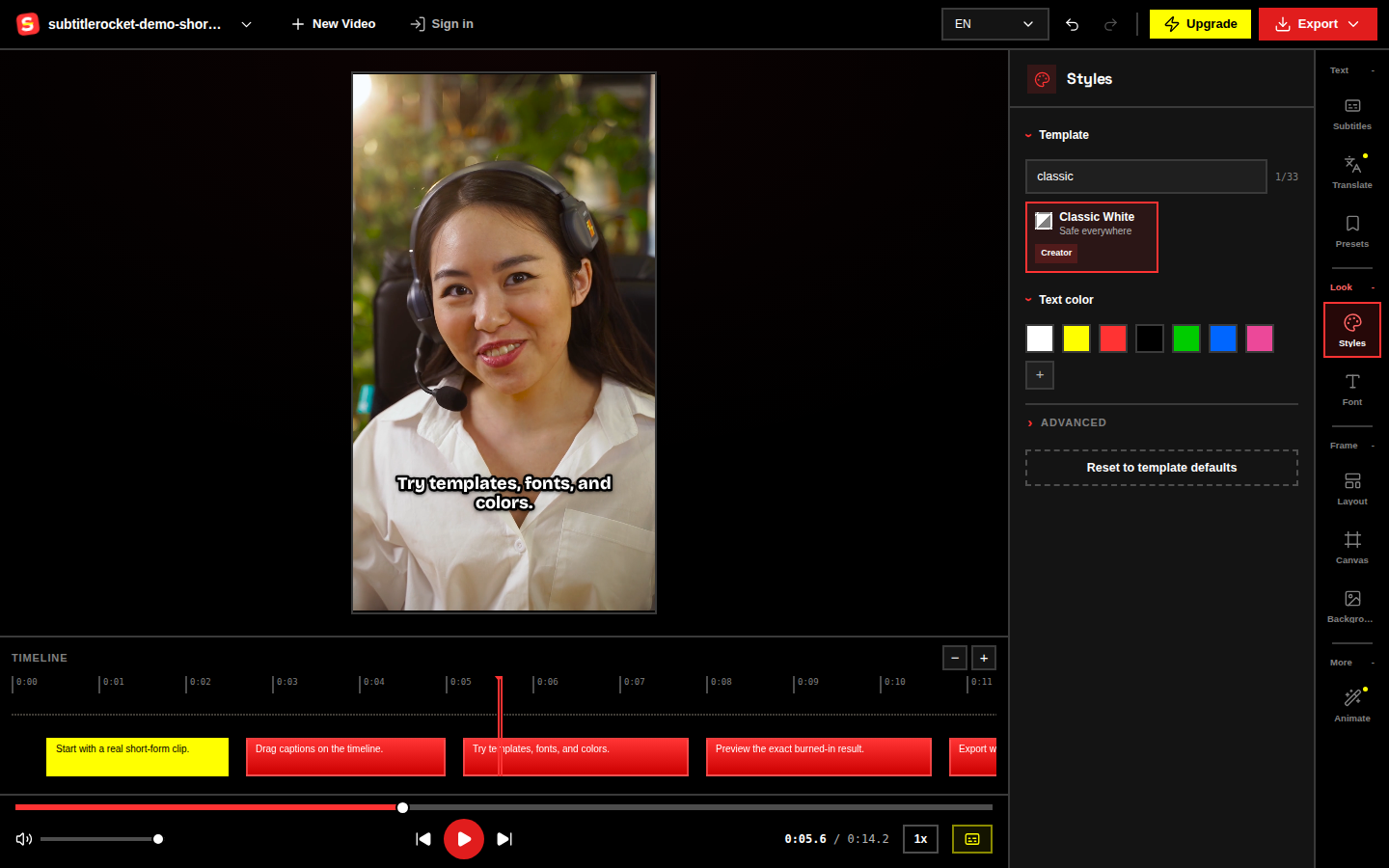
Caption workflow
SubtitleRocket transcribes multilingual clips, including languages beyond English.
Fix names, slang, timing, and line breaks before you export. Every generated line stays editable.
Pick bold social captions, karaoke highlights, boxed podcast captions, or stacked bilingual layouts.
Caption, style, and download a 720p MP4 for free. Upgrade only when you want no watermark, 1080p, and subtitle files.
30+ creator templates
Drag a video straight into the editor. You do not need an account to start. Free clips can be up to 15 minutes.
Generate timed captions, review the suggested style, then correct any names, timing, or line breaks.
Download a free watermarked MP4. A membership adds clean 1080p video plus SRT and VTT files.
No password. Your membership stays tied to your email.
Speech is split into short, editable lines with word emphasis.
Template suggestions based on each clip.
SubtitleRocket speech-to-text for multilingual clips.
Who it is for
Caption TikToks, Reels, and Shorts so viewers can follow them with the sound off.
Caption client and brand clips, share free drafts, and export clean versions on one plan.
Add readable captions to ads, promos, and product clips made for silent autoplay feeds.
Turn longer conversations into readable clips for Shorts, Reels, LinkedIn, and X.
Make lessons, webinars, and course snippets easy to follow with or without sound.
Caption demos, testimonials, and launches in many languages for audiences who watch sound-off.
Simple monthly membership
Video2Any, our sister tool for turning recordings into editable slides and notes, is built by the same team.
Cancel anytime · unused minutes reset each month · billed securely via Creem



No. Open the editor and caption your clip first. Sign in with a one-time email code only when you start a membership or export without the watermark.
You can edit every caption, use smart style matching and speaker colors, then export a 720p MP4 with a small SubtitleRocket watermark. Free clips can be up to 15 minutes, with 90 transcription minutes each month.
Choose Pro or Max and pay monthly or yearly. Membership removes the watermark, unlocks 1080p and subtitle-file export, and raises the clip and transcription limits. You can cancel anytime.
After transcription, SubtitleRocket uses the clip topic, tone, and speaker count to suggest a caption style. You can ignore the suggestion and choose any template yourself.
SubtitleRocket speech-to-text supports broad multilingual transcription. You can auto-detect speech and use bilingual stacked layouts for localization drafts, European creator clips, and other international videos.
Yes. Use the bilingual template to stack two caption lines, then edit the generated text before export. It is best for short social clips, language-learning videos, and localized snippets.
Not a certified translation tool. SubtitleRocket is for fast transcription, editing, styling, and exporting captioned videos. You can edit translated or bilingual lines before posting.
Video rendering stays in your browser. Audio is sent only for transcription, and your membership is tied to your email account.
Drop in a short video and see the timed transcript before you decide to pay.